 PuggleGet the app
 Your statements. A clearer picture.
Know where
your money
went.
Track spending without linking your bank account.
Puggle turns your PDF statements into transactions you can review and spending you can understand. Right on your iPhone.
Start free with 3 statement imports per month.
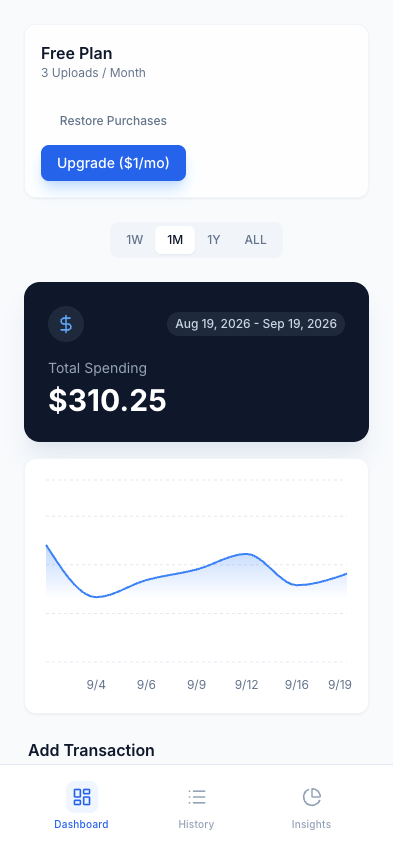
Actual app screen. Fictional sample data.
A monthly check-in.
A little more clarity.
Use the statements you already have to get a better view of everyday spending.
- 1
Bring your statement
Download a text-based PDF from your bank and import it into Puggle.
- 2
Make it yours
Check the imported transactions and adjust categories before saving.
- 3
See the picture
Explore your spending over time and see how it adds up by category.
Statement layouts vary. Always check your imported transactions. Read about PDF compatibility.
A quick look inside
From statement
to spending.
Watch a sample PDF become a list of transactions, then explore the dashboard and category view.
The demo uses fictional transactions. No bank account is connected.
Download the sample PDFRead the demo walkthrough
- Choose a text-based PDF in Import Statement.
- Review the extracted dates, descriptions, amounts, and categories.
- Confirm the import to save transactions on your device.
- View spending on Dashboard, individual entries in History, and categories in Insights.
Your money story
stays with you.
Puggle processes statements and stores your transactions on your device. You don’t need to give Puggle your bank login or connect an account.
How privacy worksStart with a simpler routine
Want to track spending
without bank linking?
Compare manual tracking, spreadsheets, and statement imports. Find a routine you’ll actually keep.
Read the practical guideImport.
Review.
Reflect.
Start with one statement.
Get a clearer view of your spending with Puggle for iPhone.
Get Puggle for iPhone